Why I Took Oplinque Self-Hosted with Dokploy
Look, I’ll be honest: when I started looking for a home for Oplinque , I had not deployed it yet. I was staring at hosting options, trying to decide whether a side project with almost no users needed its own server. Then I did what developers do when a decision starts to feel too abstract: I tried it.
I chose a VPS, installed Dokploy , and spent about four hours getting my first deployment through the problems I had created for myself. That evening taught me more than another comparison chart would have. It also made the tradeoff very real: the server bill was mine, but so were the broken image pull, the crashing app, and the health check that kept restarting a container.
This is the story of that deployment, as I experienced it in December 2025. Prices and product features can change; the mistakes are the interesting part.
Why I wanted to run it myself
Oplinque tracks job applications, history, and progress, with AI-assisted analysis for resumes and applications. It is more than a static page. There is a web app, an API, a database, and supporting services that all have to be configured and kept healthy.
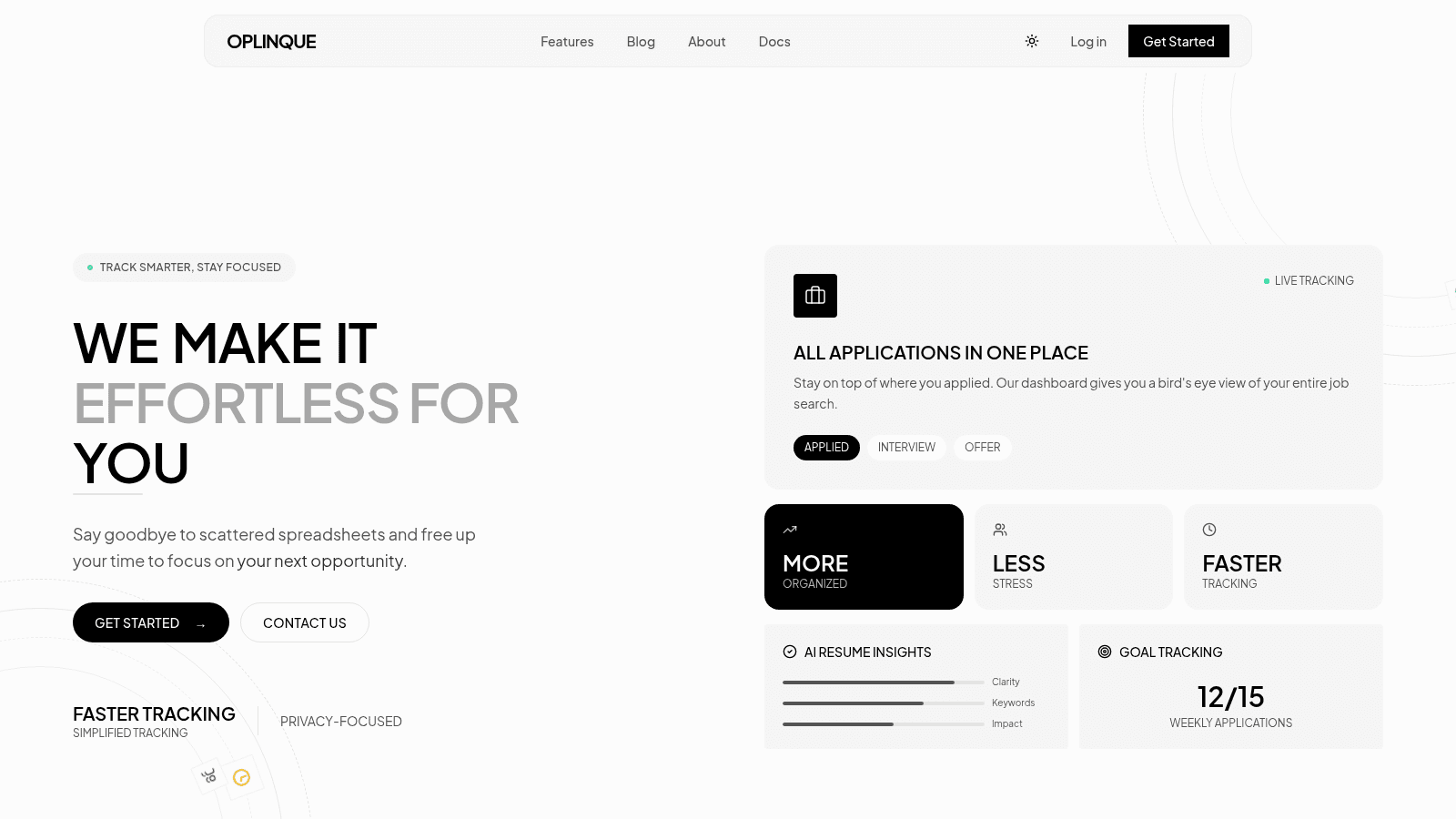
I wanted to understand the path from a push to a live release, and I didn’t want a sleeping free-tier service to be the first thing someone encountered. That was my motivation, not a claim that every managed platform sleeps or that a VPS is always cheaper. Different providers have different limits, regions, and pricing; I was choosing for this project and my appetite to learn.
Dokploy gave me a control panel for the parts I wanted to own: deployments, Docker-based services, domains, and the supporting infrastructure. I also considered Coolify and CapRover. I preferred Dokploy’s fit for the Compose-based setup I was planning and how directly I could see the deployment path. That was a practical preference, not a benchmark proving one tool is universally lighter or better.
The Black Friday VPS calculation
I bought an OVH VPS during a Black Friday offer. My effective bill was around $3.50 per month at the time, which made the experiment easy to justify. I also wanted a server region that made sense from the Philippines. Those were my purchasing conditions in 2025; they are not a recommendation to expect the same price or availability today.
I had sketched a comparison against a stack of paid managed services. On paper, adding separate compute, database, Redis, and monitoring plans produced a much larger monthly number. But that spreadsheet mixed plan prices and assumptions with my actual discounted VPS bill. It did not prove an annual saving of hundreds of dollars. The VPS moved work onto me: OS updates, access control, backups, monitoring, and incident response all had a cost in time.
The more honest question became: was owning those responsibilities worth the control and learning? For this side project, I wanted to find out.
How I expected a release to work
The path I was aiming for was simple to describe: push code, build an image, store it in a registry, deploy the containers, and route the domain to the right service. Dokploy supports Git and webhook-based deployments, Docker Compose, external registries, and domain routing. Those platform capabilities helped me put the pieces together; they did not configure themselves.
The part I underestimated was how many small agreements are hidden inside that sentence. The registry needs the image under the right name and tag. The deploy system needs permission to pull it. Environment values must match what the app actually reads. The container has to answer a health check using a tool that exists in the image.
That is where my four-hour setup went.
First: manifest unknown
My first image pull failed. I had convinced myself the image was ready, then saw manifest unknown when I tried to pull it from GitHub Container Registry:
docker pull ghcr.io/kevin-umali/oplinque-api:latest
# manifest unknown
I had to stop thinking of “the build succeeded” and “the deploy can fetch this exact image” as the same event. I checked the package name and tag, then the registry access Dokploy was using for the private image. Configuring that access got me past the pull. Dokploy’s GHCR guide documents the registry connection; the exact token permissions depend on whether an account is only pulling or also publishing images.
The lesson was embarrassingly basic: verify the artifact and its permissions before debugging the container that has not even started.
Then: an encryption key with the wrong shape
Once the image ran, the app crashed on an encryption setting. I had generated a key with this command:
openssl rand -hex 32That produces 32 bytes represented as 64 hexadecimal characters. The code I was configuring expected a value of a different length and format. “32 bytes” and “32 characters” are easy to conflate when you’re looking at a terminal full of random text. I changed the generated value to match the library’s contract and restarted the service.
That failure had nothing to do with Dokploy. It was my configuration, and self-hosting made it my problem to diagnose from logs instead of assuming the platform was broken.
Finally: a health check that could not run
The web container would start, stay up briefly, and then die. I had a health check that called wget against the local endpoint:
{
  "Test": ["CMD", "wget", "--spider", "http://localhost:8080/health"]
}
The command in the health check did not match what was available in the image I had built. I changed the probe to use an available tool and verified the endpoint from inside the container. The container stopped cycling.
I would not turn that into advice to “always use curl” or “always use wget.” Minimal images vary. The useful habit is to test the exact health-check command in the final image, against the port and path the service really exposes.
The risk I accepted
The nice part of my setup was visibility. I could see the path from repository to running service, decide where each piece lived, and inspect what broke. The uncomfortable part was that I was now the person on call. If I lost access to the VPS, broke a firewall rule, or failed to restore a backup, there was no hosting support team responsible for repairing my application.
Oplinque can contain personal job-search information, so this responsibility is more than a fun DevOps exercise. I need to know where that data lives, who can reach it, how it is backed up, and what happens when I make a bad change. The fact that I got the app running was the start of that work.
What I would do before calling it “cheaper”
I would compare like with like: the actual VPS invoice, any storage or backup charges, a managed option that offers equivalent capacity, and the hours spent operating each setup. I would also test a restore and a rollback, because “free backups” in a pricing table mean little if I cannot recover the product.
Would I take the same path again? For a side project I wanted to learn from, yes. I got the control I was after and a memorable crash course in the edges of deployment. For a product with paying customers and an uptime promise, I would make the decision with more evidence and a clearer on-call plan.
Self-hosting was not a magic cost hack. It was a choice to own more of the system. I liked that choice enough to finish the deployment; I respect it more now that I’ve had to fix what broke.
Sources & references
4 sources- Dokploy Docker Compose guide
Compose deployments and service configuration.
- Dokploy GHCR guide
Registry connection and image access.
- Dokploy auto-deploy guide
Git and webhook-based deployments.
- Oplinque website
Product overview and technologies.